
EDITORIAL CONTINUITY WORKFLOW · ADULTS 18+
Konsistensi Karakter Video NSFW AI: Alur Kerja Per Shot
NSFW AI video character consistency starts with one authorized identity source for each clearly adult character: face, body, and lingerie ownership included. Assign every wardrobe change to only that person, change one shot variable at a time, and mark the first frame where identity, straps, cleavage crop, or position drifts.
This planning method is designed to make visible drift easier to locate; it cannot guarantee identity lock. Reference inputs, media counts, and controls depend on the video model currently selected in Studio. Remake starts a new complete job, while Retry restores a historical setup for review before resubmission; neither repairs one segment.
NSFW identity ownership
Change the outfit, not the face
These bedroom stills match the NSFW character-consistency title. Person A is the Western blonde in ivory lace; Person B is the East Asian long black hair in dusty-rose satin. The right column only changes the shirt. It does not change the person. How many references Studio accepts depends on the live model.

Western adult woman: blonde waves, clean skin, ivory silk camisole with black lace. Lock Person A's face and body.

Same Western face, white shirt off the shoulder. Change only Person A's wardrobe.

East Asian adult woman: long black hair, mouth-corner mole, dusty-rose satin camisole. Lock Person B's face and body.
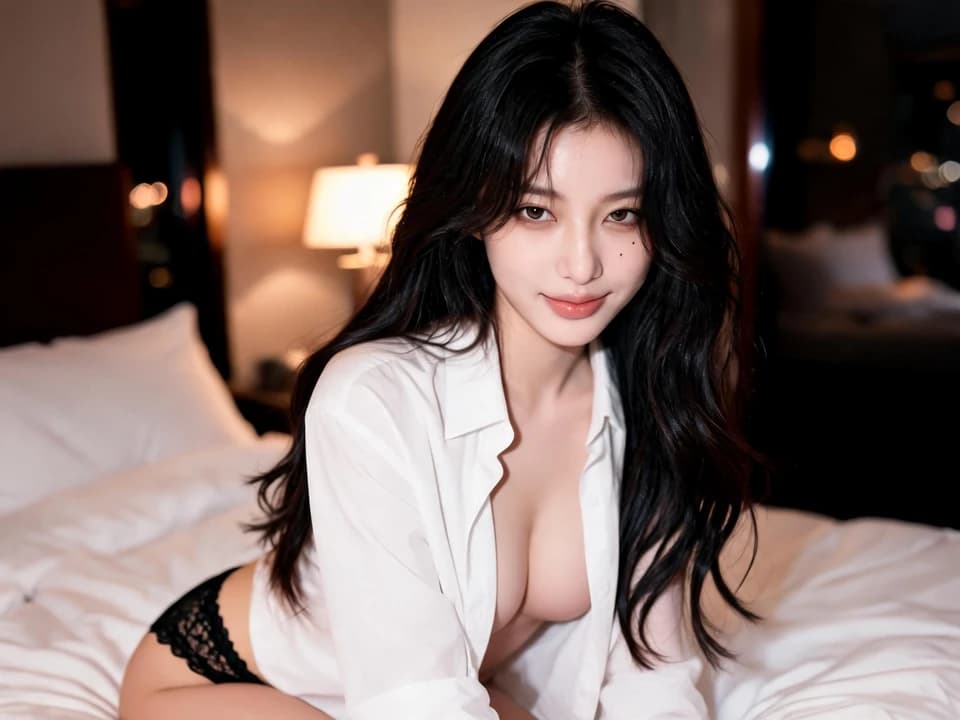
Same East Asian face, unbuttoned white shirt. Change only Person B's wardrobe.
01 · Plan before generating
Build a fixed-versus-changed shot ledger
Write the whole scene first, then split it into shots with a clear purpose. Reuse the same identity sources and visual direction. For each new shot, change only the action or the camera choice you need.
One shot, one controlled change
- Complete concept
- Write the scene purpose before splitting it into shots.
- Current shot objective
- Name the single story beat this shot must carry.
Fixed for this shot
- Person A's Western face, blonde waves, clean skin, and ivory lace camisole
- Person B's East Asian face, long black hair, mouth-corner mole, and dusty-rose camisole
- Which shirt change belongs to which person
- The shared bedroom light carried from the previous shot
Changed for this shot
- One clear shot objective
- One subject action assigned to A or B
- One camera move or framing change
- One planned environment or lighting change, if needed
Evidence to check
- A and B remain visually separate
- Lace and shirt ownership do not swap
- Motion does not distort either body
- The erotic crop still matches the opening two-shot
Use a new record for every shot. This ledger does not create a reusable prompt or persistent character memory.
SOURCE NOTES
Give each source one job
Decide what each source should carry before you generate. Models can still blend the inputs, so review the output.
Person A identity reference
- Intended role
- Keep Person A recognizable
- Carry forward
- Approved identity facts and the same source file
- Do not ask it to do
- Define Person B, camera motion, or the whole composition
Person B identity reference
- Intended role
- Keep Person B separate from Person A
- Carry forward
- A distinct face, silhouette, and approved source file
- Do not ask it to do
- Borrow Person A's appearance or replace a motion plan
Replacement material
- Intended role
- Describe the planned change for one named person
- Carry forward
- Only the outfit, pose, or source change you approved
- Do not ask it to do
- Override the other person's identity
Pose, composition, or motion reference
- Intended role
- Guide the current shot when the model supports it
- Carry forward
- Relative position, action order, framing, or rhythm
- Do not ask it to do
- Guarantee identity or unlock an unsupported input mode
02 · Review the moving result
Review the full NSFW clip and mark the first drift frame
A still cannot prove continuity over time. Check the opening bedroom two-shot, the push-in, and the last frame. Use the earliest strap slip, cleavage crop, or identity mix to plan the next complete run.
- 01Opening
00:00 Bedroom two-shot. Left: Person A, blonde waves, clean fair skin, ivory lace camisole, black lace panties. Right: Person B, long black hair, mouth-corner mole, dusty-rose camisole. Two adult identities stay separate.
- 02Last stable frame
00:02.5 Faces, hair color, camisole color, and body ownership still match the identity sources.
- 03First drift
00:02.5 The slow push-in tightens. Person A's lace strap and cleavage crop begin to change. Identities have not swapped, but the erotic framing has already drifted.
- 04Ending
00:05 Identities still read as A and B. To keep the opening two-shot with both camisoles in frame, remake the whole clip. Do not patch only the second half.
- Timestamp
- 00:02.5
- Observed change
- Wardrobe / crop: Person A's lace framing tightens as the push-in crops her chest closer. Identities do not mix. Left and right do not swap.
- Next minimum change
- Drop the slow push-in. Keep both adults sitting on the sheets, looking at the camera, straps still on the shoulders. Remake the full 5s shot.
WHEN THE SHOT CHANGES
Observe first, then choose the next single change
A and B begin to blend
- Inspect
- Compare each face and silhouette with its own approved reference at the first abnormal frame.
- Next full run
- Reduce competing instructions and name each subject's single action more clearly.
A and B exchange position or wardrobe
- Inspect
- Check the last stable frame and the ledger's left, right, foreground, and background notes.
- Next full run
- Restore explicit role and position labels, then change no other variable.
One identity changes during motion
- Inspect
- Check whether the break begins when a new pose, turn, occlusion, or camera move starts.
- Next full run
- Simplify the movement or camera instruction and submit a new complete shot.
The visual direction jumps
- Inspect
- Compare the selected model, visible settings, light direction, and replacement material with the prior shot.
- Next full run
- Return to the approved shared direction and keep only the intended shot change.
03 · Product handoff
Apply the method in Lumi Arts
Use the ledger to prepare the shot, then check Video Studio for the model, input modes, settings, and estimate that are actually available. The three captures below are from the current Lumi Arts Video Studio.
Optional Studio handoff
Edit the current shot before opening Video Studio
Opening this draft does not start a job or spend credits. The field accepts up to 1,600 characters; live model limits can differ. Confirm the model, supported inputs, settings, and estimate before you generate.
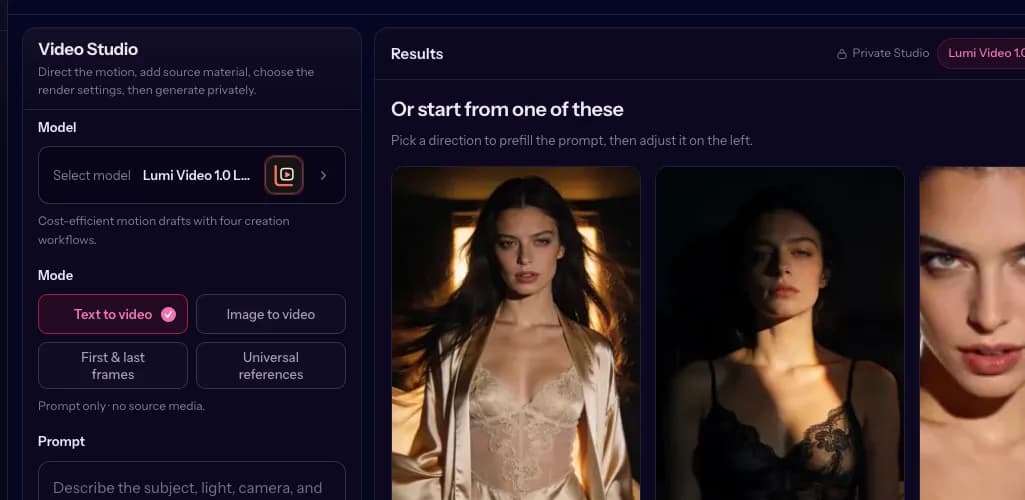
Model and mode
Shows the current video model and the input modes that model actually exposes.
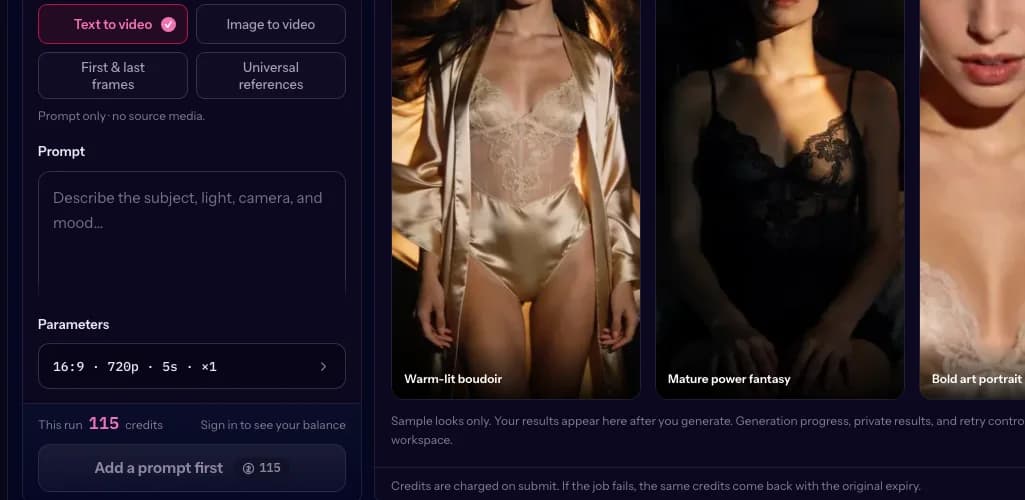
Inputs and settings
Shows the empty prompt field, the visible 16:9, 720p, 5s, quantity-one parameters, and the 115-credit estimate before submit.
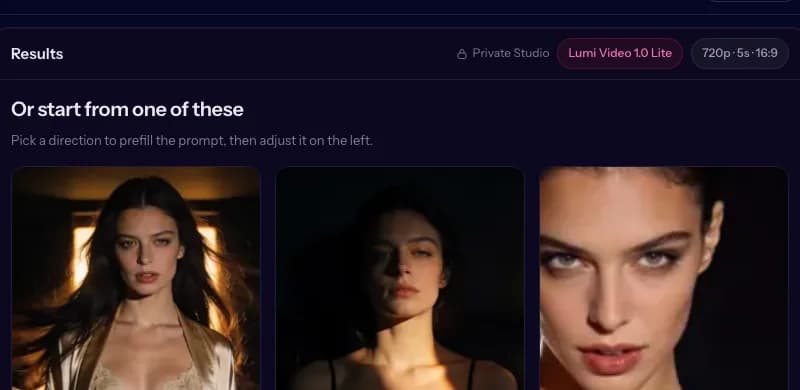
Results panel before generation
Shows the selected model and settings beside sample starting directions before any private result has been generated.
Text, image, first and last frames, or other reference inputs appear only when the selected model supports them. The planning board never overrides those live limits.
Open Lumi Arts Video Studio04 · Product truth
Know the limits before you regenerate
Use the ledger to compare separate generation jobs. It does not add automatic character lock, a persistent timeline, or repair for one section of a clip.
The method helps you
- Separate stable identity facts from the current shot change
- Keep Person A and Person B source ownership explicit
- Review a complete shot and log the first visible break
- Make the next full run easier to diagnose
Studio currently exposes
- A live video model catalog with model-specific modes
- Visible duration, ratio, resolution, audio, quantity, and dynamic controls when supported
- A credit estimate before submission
- A result view where Remake starts a new complete job
- A history Retry entry that restores the earlier setup for review
The workflow does not promise
- Perfect identity lock or automatic continuity
- A persistent multi-shot project or automatic sequence assembly
- The same input modes and controls on every model
- Repair of only one segment inside the current Remake or Retry paths
Lumi Arts is for adults 18+. Use only clearly adult subjects, lawful media, and explicit consent. Minors, age-ambiguous subjects, non-consensual intimate imagery, and harmful impersonation are prohibited.
Acceptable use05 · Decisions before the next shot
Character consistency questions
Reference types and controls vary by model. Check the live Studio before planning around a specific input.
Can this method guarantee the same character in every shot?
No. It is a planning and review method for locating visible drift and controlling the next change. Model behavior still varies within and between complete generation jobs.
How do I keep Person A and Person B from blending together?
Keep separate lawful identity sources, label every person-specific replacement, record their relative positions, and assign each subject one clear action. Review the first frame where the two identities begin to mix.
What is the difference between an identity reference and replacement material?
The identity reference says who the adult character is. Replacement material records a planned change for that named person, such as an alternate outfit, pose, or source. It should not stand in for the other person's identity.
Does the planning board mean every model accepts four images?
No. The four slots organize your source files before generation. The live Video Studio shows the actual reference count, media types, and input modes supported by the selected model.
Can I start from text, an image, or first and last frames?
Use whichever mode the selected model currently exposes. Text, image, first and last frames, and reference inputs are model-dependent, so the live catalog is the source of truth.
Can I repair only the first frame where drift appears?
Not in the current product flow. The first drift frame is a diagnosis marker. Remake starts a new complete job; Retry restores the historical setup so you can review it before resubmission. Neither repairs one segment.
Can I use a real person's photo?
Only when every depicted person is an adult, you have the legal right to use the media, and you have explicit consent for the intended use. Harmful impersonation and non-consensual intimate imagery are prohibited.
Is any content involving minors allowed?
No. Minors, age-ambiguous subjects, and anyone who could reasonably be mistaken for a minor are prohibited.