
Image workflow · outfit try-on
如何用 AI 試衣更換照片服裝
To change clothes in a photo with AI, give the tool a clean adult person photo and a separate garment reference, then pick Fitted, Relaxed, or Formal so drape matches the outfit you actually uploaded.
Two-slot try-on. It keeps face, pose, and background as much as possible while rebuilding wardrobe. It is not lingerie-preset restyle and not clothes removal.
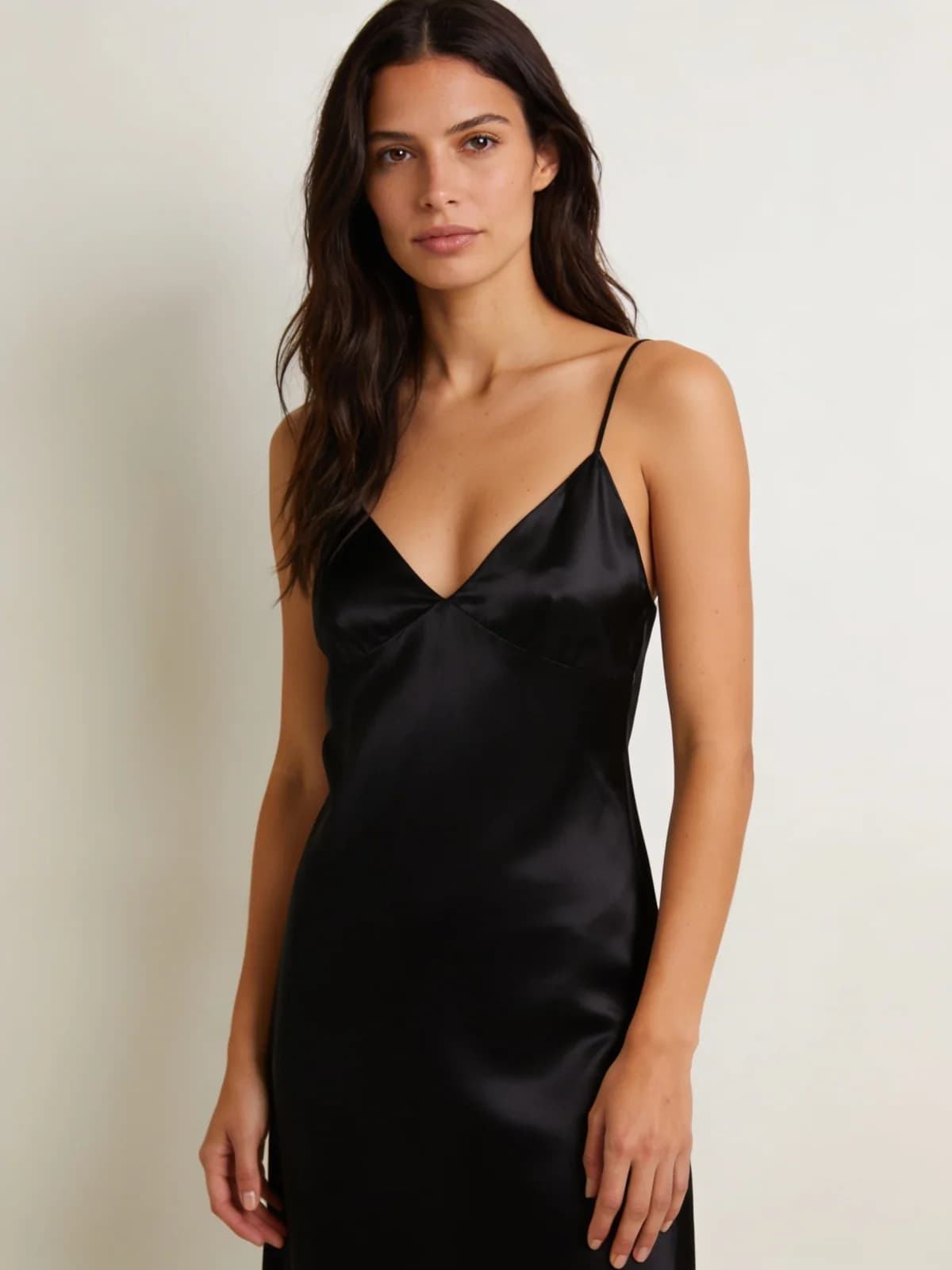
Quick answer: person + garment
Two photos, one drape preset.
- 01Upload the adult person photo you want to keep.
- 02Upload a garment reference that shows the outfit clearly.
- 03Choose Fitted, Relaxed, or Formal.
- 04Generate and check collar, sleeves, and hem against the garment ref.
- 05Swap only the garment image to build a lookbook on the same person.
What you need
Garment visibility is the hidden requirement.
Authorized adult; pose you want to keep.
Outfit laid flat or on a model with readable silhouette.
Fitted, Relaxed, or Formal.
Image try-on still by default.
Step 1: Capture person and garment as separate jobs
The person photo should show the body regions the outfit covers. Cropped heads-only shots cannot drape a full dress.
Garment photos should avoid extreme wrinkle piles and tiny distant catalog thumbnails.
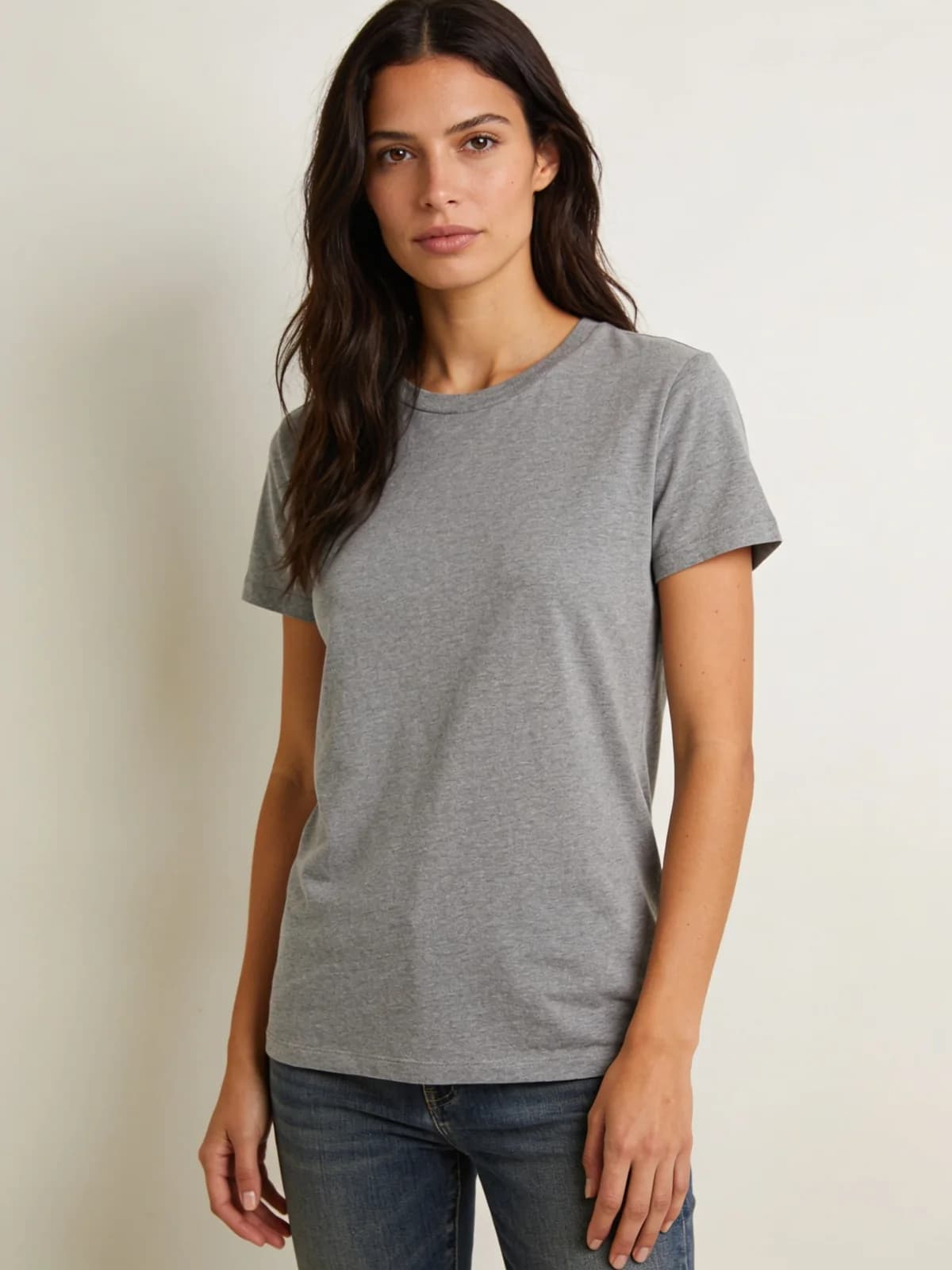
Step 2: Pick fit before color commentary
Fitted hugs the silhouette, Relaxed adds ease, Formal biases structured occasionwear. Choose fit from the garment truth, not from wishful text.
Optional notes can pin colorway if the garment ref is ambiguous—keep them short.
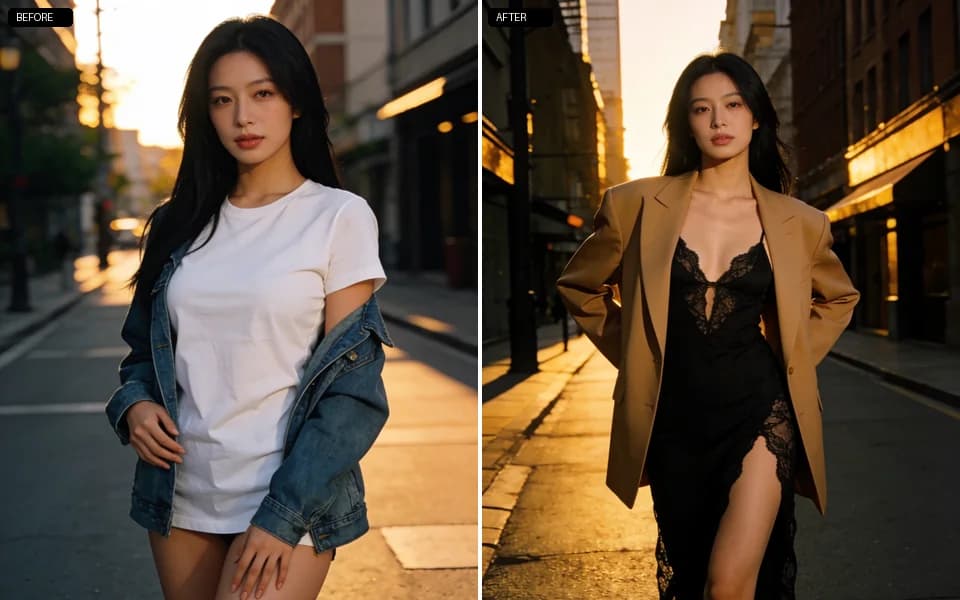
Step 3: Build a lookbook by swapping garments only
Keep the person photo fixed. Replace garment references one at a time. That isolates wardrobe failures from identity failures.
If face identity slips, pause and run a private face swap on the best still rather than stacking changer reruns.
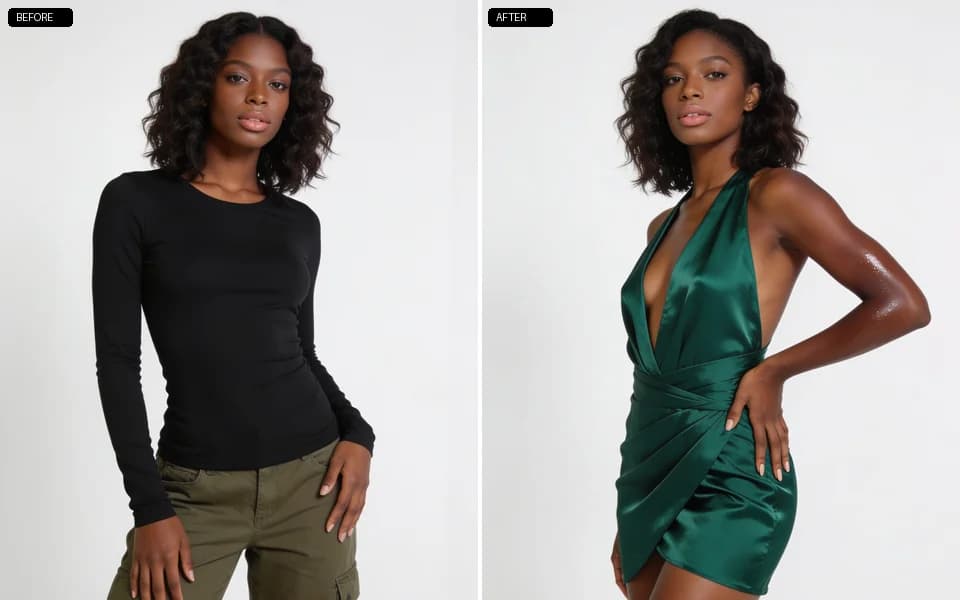
Step 4: Know when another tool is the real job
Lingerie-only restyle without a garment photo → lingerie generator. Need bare skin reconstruction → clothes remover path with stricter rights review. Need a full new scene → unrestricted generate.
Clothes changer fit presets
Fit is a drape prior, not a brand name.
| 預設 | 適用場景 |
|---|---|
| Fitted | Tailored silhouette close to the body. |
| Relaxed | Everyday ease and looser drape. |
| Formal | Structured occasionwear bias. |
Review checklist
Compare against the garment reference, not your memory.
- 01Silhouette matches the garment photo.
- 02Face and pose still match the person photo.
- 03Background did not invent large new objects.
- 04Sleeves, collar, and hem are complete.
- 05Fabric pattern did not turn into noise.
Limits
Complex layered outfits and occluded arms fail more often. Simplify the garment ref.
Authorized adult media only. Private workspace storage.
Prices are live on the generate control.
FAQ: AI clothes changer
Person photo + garment reference. The tool rebuilds wardrobe while aiming to keep face, pose, and background.
Full silhouette, even light, minimal occlusion.
Usually yes on clean inputs; verify every run.
Partial garments work better when the reference clearly shows that piece alone.
Fitted reduces ease; Relaxed adds it. Match the garment intent.
No. Results stay private unless you export.
Use video tools after you approve a still.
下一步
Open the clothes changer
Load person and garment, pick fit, and generate one honest try-on before you build the full lookbook.