
Video workflow · two-photo hug
如何用兩張照片做 AI 擁抱影片
To make an AI hug video from two photos, you need clear adult faces, matching shot scale, and one mood preset—not a paragraph of camera directions the tool already owns.
This tutorial covers the dual-person hug path. Clips are short preview motion at the resolution shown in Studio. Identity lock is best-effort across the clip, not a guaranteed face mesh.

Quick answer: two photos to one hug clip
Upload person A, upload person B, pick a mood, generate video once, then optionally grab a still.
- 01Choose two authorized adult photos with visible faces and similar framing.
- 02Assign each photo to its person slot—do not stack both faces in one crop.
- 03Pick Warm, Reunion, or Film look.
- 04Keep video selected unless you only need a cheap still check.
- 05Generate, review both faces through the motion, then iterate one variable.
What you need for a stable hug
The model animates the meet-and-embrace. Your job is usable dual identity inputs.
Clear face, preferably upper-body or full-body, well lit.
Second authorized adult reference with a comparable crop.
Short video preview (on-tool resolution/duration). Still image is available as a cheaper check.
Only adults who authorized the use. No minors.
Step 1: Prepare two photos that can share a frame
Match scale when you can: two upper-body portraits hug more cleanly than one selfie and one distant full-body crop.
Avoid heavy occlusions—sunglasses on the bridge, hands over mouths, or extreme profile angles make the embrace harder to read.

Step 2: Slot each person and choose the mood
Put one adult per slot. If you swap slots and the pair feels wrong, swap photos—do not rewrite a long prompt to fix assignment.
Warm is the default intimate greeting, Reunion pushes emotional pacing, Film look adds cinematic contrast. Optional text should only steer wardrobe or setting when the photos underspecify them.
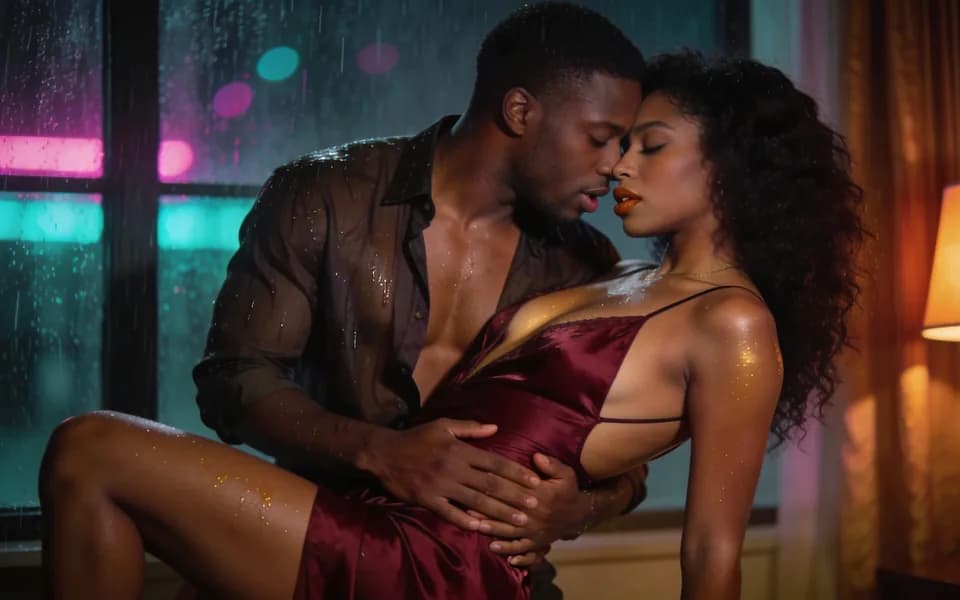
Step 3: Generate video, then review the whole motion
Confirm the on-screen estimate and run once. Wait for the private result in workspace history.
Play the full clip. Check whether both faces stay readable as they close distance, whether arms intersect oddly, and whether the embrace lands before the clip ends.
Still image fallback
If faces look wrong, switch to image output for a low-cost embrace still, fix the photo pair, then return to video.
Step 4: Choose the next job without overloading hug
Need a kiss instead of an embrace? Move to the kissing workflow rather than forcing hug presets. Need a better face match first? Run a private face-swap pass on one still, then return.
Hug presets
Mood first; keep photo quality as the real identity control.
| 預設 | 適用場景 |
|---|---|
| Warm | Soft everyday embrace with gentle pacing. |
| Reunion | Longer emotional beat and tighter hold. |
| Film look | Cinematic contrast and staged framing. |
Hug clip review checklist
Judge motion, not a single thumbnail.
- 01Both adults remain distinct through the approach.
- 02Arms and shoulders do not collapse into a single blob.
- 03Faces stay unobstructed at the moment of contact.
- 04Framing still shows both people when the hug lands.
- 05No minor or age-ambiguous reads appear mid-clip.
Limits and consent
Hug generation cannot promise perfect multi-face lock for every photo pair. Hard profile angles and mismatched crops are common failure modes.
Video costs more than a still because it is billed with duration upstream—read the live estimate. See also the deeper continuity method in NSFW AI video character consistency.
Only authorized adult photos. Follow Acceptable Use.
FAQ: AI hug video from two photos
Each slot gets one adult photo. The tool animates an approach and embrace while trying to keep both faces consistent with the uploads.
A short preview at the resolution shown in the tool. Check the live control for the current duration label.
Well-lit, mostly front-facing adult faces with upper-body context. Matched framing helps.
Yes. Image output is useful to validate both faces before spending on video.
Your own or adults who agreed. Minors are prohibited and blocked.
Motion is billed with duration. The button shows the estimate before you run.
Replace the weaker photo, match crops, try a still check, then rerun video once.
下一步
Open the AI hug workflow
Upload both authorized adult photos, pick a mood, and confirm the estimate before you generate the clip.